Platform monitoring
The Platform monitoring page displays indicators that may require actions from the administrators.
Current status
The current status of different objects is available:
|
Object |
Description |
|---|---|
|
Blocked users |
The number of users currently blocked.
|
|
Certificates |
The number of expired certificates on the platform.
Click Manage to manage certificates - More information |
|
Tokens |
The number of expired tokens on the platform.
Click Manage to manage tokens - More information |
Current status is updated every 15 minutes.
Usage & Adoption
Usage & Adoption page provides an overview of authentication method registrations and usage in the tenant.
The displayed data is updated every 15 minutes.
Internal authentication method registrations
The Internal authentication method registrations section shows users who have not yet registered an authentication method.
-
Users not registered: Total number of users who have not yet registered an authentication method.
-
Invitation never sent: Users have not received the link to register an authentication method.
-
Pending registration: Users have not completed the registration yet.
-
Registration expired: Users registration links have expired.
-
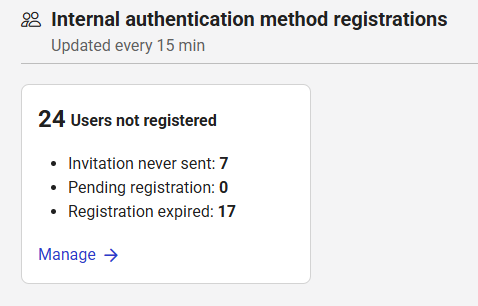
Click Manage to see the users concerned. They are organized in two tabs :
-
Pending & expired → Users have not completed the registration yet or registration link has expired.
-
Not started → Users have not received the link to register an authentication method.
-
If the user does not have an email address, Not provided is displayed as the email status.
-
If the user has an email address, the invitation may not have been sent due to the registration policy configuration.
-
Authentication method usage
The Authentication usage section shows:
-
Built-in authentication methods → the number of registered authentication methods per type for the built-in authentication methods.
-
Custom authentication apps → the number of registered authentication methods for the custom apps.
They are sorted by decreasing number of registered authentication methods.
Logs
Logs provide administrators with an history of events within the platform.
To access logs:
-
Go to Monitoring.
-
Choose the type of logs you want to inspect:
-
Users activities→ user-related activities.
-
Audit logs → allow to filter audit logs by Entity Type in order to audit configuration operations
-
-
Click on any log entry to open the event details panel:
|
Information |
Description |
|---|---|
General
|
|
|
Date & time |
The exact timestamp when the event occurred. |
|
Operation |
The action that was performed. |
|
Target |
The entity or resource involved in the operation. |
|
Category |
The type of resource concerned by the event (USER, CERTIFICATE, APPLICATION,MFA_SECRET_CODE,FIDO_KEY, …). |
|
Performed by |
The user or system that performed the action.
|
|
Status |
The result of the operation (success or failed). |
|
Information |
Additional descriptive details about the operation (e.g., what changed, business context). |
|
Correlation ID |
A unique identifier used to trace and group related events. It allows to trace the complete sequence of operations (for example, all steps of a user authentication). |
|
Workflow Instance ID |
This parameter is not used. It is for future use. |
Error Information
|
|
|
Error message |
An error message if the operation failed. |
|
Error code |
The reason code of the error. |
Application
|
|
|
ID |
The unique identifier of the application to be accessed. |
|
Type |
The type of application to be accessed (e.g: OIDC, OAUTH, SAML,…). |
FIDO Key
|
|
|
ID |
The unique identifier of the FIDO key registered for the user. |
|
Model (AAGUID) |
The Authenticator Attestation GUID an identifier assigned to each key model. |
|
Model name |
The human-readable name of the authenticator model. |
|
User verification Method |
A FIDO2-specific parameter that describes how the authenticator verifies user presence or identity (fingerprint, PIN, biometric, or none). |
|
Authenticator Attachment |
A FIDO2-specific parameter that specifies how the authenticator is connected to the user’s device (platform or cross-platform). |
|
Authenticator Transport |
A FIDO2-specific parameter that describes the communication method used between the authenticator and the client device (usb, nfc, ble, internal: built-in platform authenticator). |
Context
|
|
|
User Agent |
Information about the client application, browser or device used during the operation. |
|
IP Address |
The source IP address from which the request originated. |
|
Request URL |
The endpoint or URL that triggered the event. |
|
Performed Type |
Indicates whether the event was triggered by:
|
Secure Token
|
|
|
Type |
The type of secure token involved. |
|
Library version |
The version of the internal library used in the secure token. This information could be useful for troubleshooting. |
|
Alias |
The alias of the secure token involved. |
Filters
By user
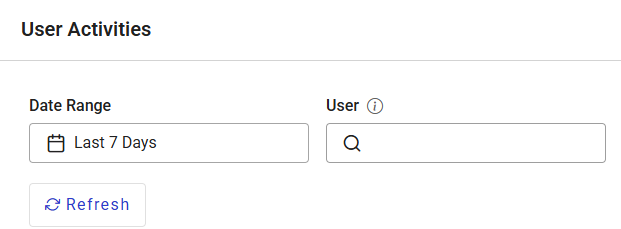
You can filter User Activities by all actions related to a specific user within a defined time period.
-
Select a Date Range.
-
Enter a Username.
The username must be entered exactly as it is registered in the system.
The search is not case-sensitive but any typo will return no results.
By Entity type and Operations
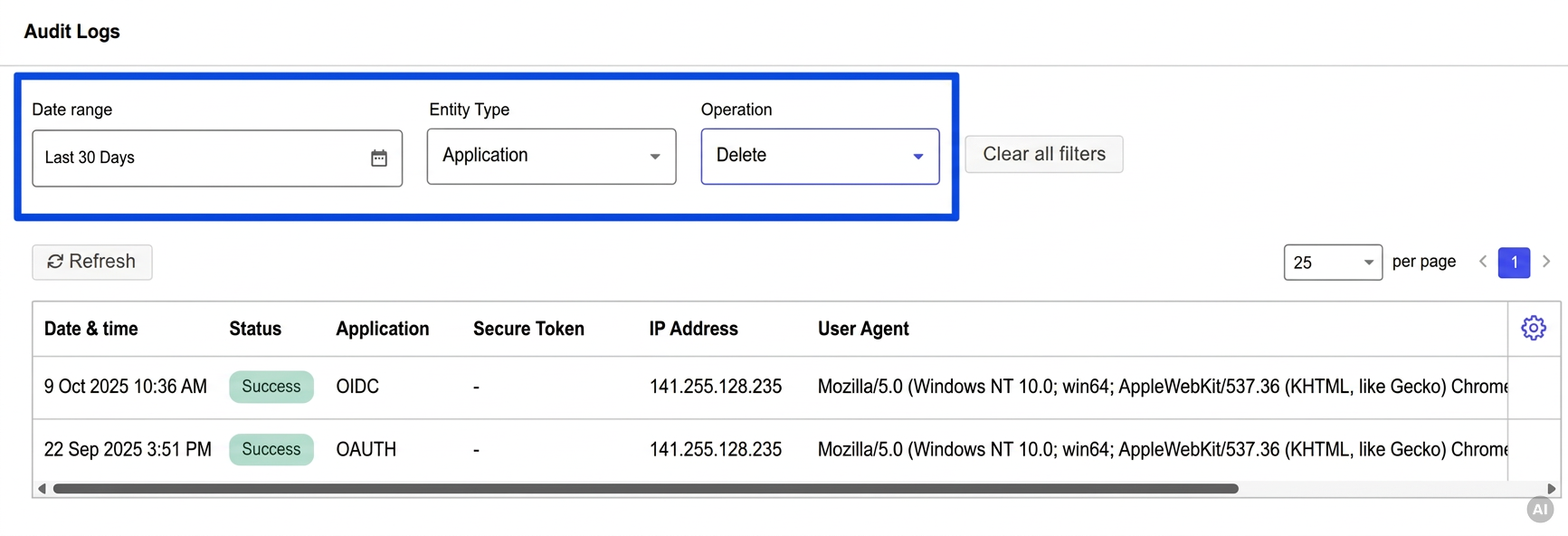
You can filter Audit Logs by operation on a specific entity type within a defined time range.
-
Select a Date Range.
-
Select an Entity type and an Operation.