
Authentication levels
Authentication Levels represent the strength of an authentication method.
Each authentication method is assigned an Authentication Level. Authorization policies define a minimum required Authentication Level to grant access.
This allows authorization decisions to be based on the authentication strength rather than the specific authentication method used.
The standard ranking used for policy evaluation is:
AAL3 → highest level
AAL2
AAL1 → lowest level
Authorization policies use this ranking to determine whether an authentication level is sufficient.

Authentication Levels and ACR
In authorization rules, ACR (Authentication Context Class Reference) is used. Authentication Level name is used as the ACR value.
Authorization rules define the minimum required ACR value.
Example
A user authenticates using one of the available methods:
TrustBuilder Authenticator (Web) → AAL2
TrustBuilder Authenticator (Mobile) → AAL2
Security Keys → AAL3
To access an application, the authorization policy defines:
"requires_at_least_acr": ["AAL2"]Result:
User authenticates with TrustBuilder Authenticator (Web) → AAL2 → ✅ access granted
User authenticates with Security Keys → AAL3 → ✅ access granted
User authenticates with an external authentication method mapped to AAL1 → ❌ access denied
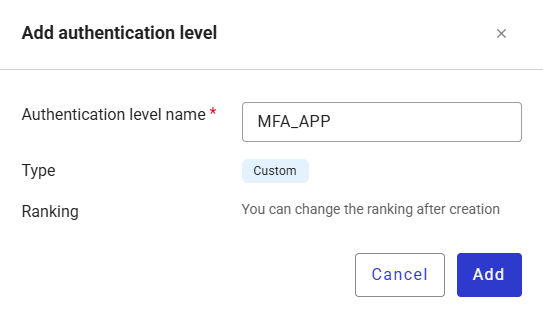
Add an authentication level
To crate a custom authentication levels:
Go to Authentication > Authentication levels.
Click + Add authentication level.
Enter the authentication name without space.

The name can be edited later. However, if the Authentication Level is already used in an authentication method or authorization policy, the name must be updated manually in all references.
It is recommended to define a stable name at creation.
Click Add.
Reorder authentication levels
Authentication Levels are displayed and managed using a ranking from most secure to least secure. This ranking is used by authorization policies to compare the level reached by the user’s authentication method with the required level.
The standard ranking is:
AAL3 → highest level
AAL2
AAL1 → lowest level
To reorder authentication levels:
Go to Authentication > Authentication levels.
Click Reorder levels.
Move the custom authentication levels between the standard levels.
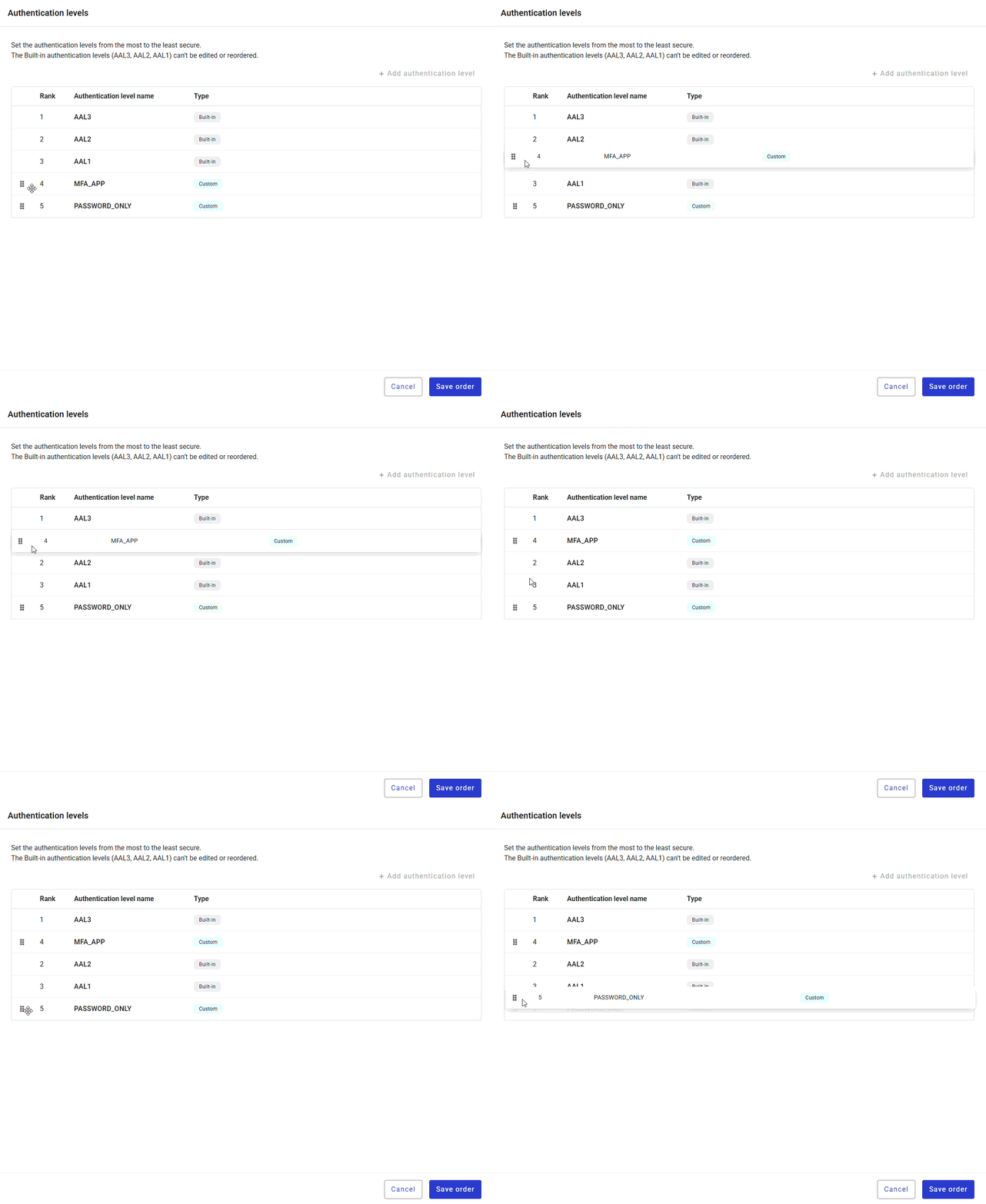
Click Save order.